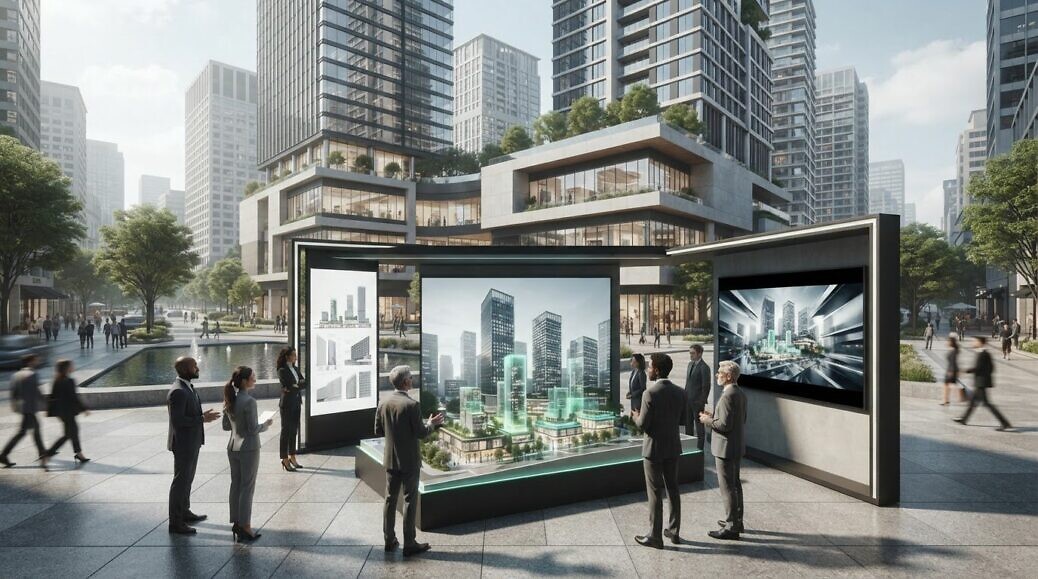
Investor CGI should do more than fill a slide deck. CGI for investor presentations can also support marketing when the visuals are planned for the pitch and the channels that follow. A consistent visual system can carry the project story from investor meetings into campaign materials.
Reusing an asset involves more than exporting the same image twice. Composition, aspect ratio, resolution and motion all affect how well it works in a presentation, roadshow or digital campaign. Planning for these requirements early helps preserve visual consistency and avoid unnecessary rework.
This guide explains how CGI communicates product scale and commercial significance, which formats and resolutions suit different presentation contexts, and what a roadshow asset package can include. It also outlines the factors that shape production timelines, from the brief and source material to animation and review stages, so you can plan visual assets around the decisions your presentation needs to support.
Key Takeaways
- Use clear visual references and viewpoints to help investors understand a product’s scale and commercial context.
- Choose image and video formats around the presentation environment, screen dimensions and intended reuse.
- Plan roadshow assets as a coordinated set, so the visuals stay consistent across investor materials and follow-up marketing.
- Set production milestones around the brief, available design information, review stages and the complexity of the required stills or film.
- Define the intended audience and channels early to make each visual asset more useful beyond the presentation itself.
Communicating product scale and commercial significance
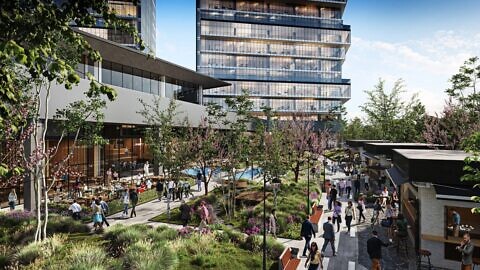
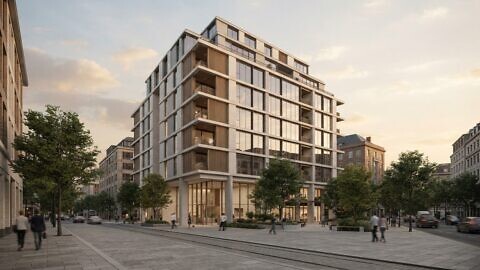
Investors need to understand what a product or development is, how large it is and why it matters commercially. CGI for investor presentations can communicate these points through proportion, context and carefully selected views. Showing a product beside a person, a familiar object or in its intended environment gives the audience a visual reference. For a property proposal, a site view can show how proposed buildings relate to streets, neighbouring structures and public space.
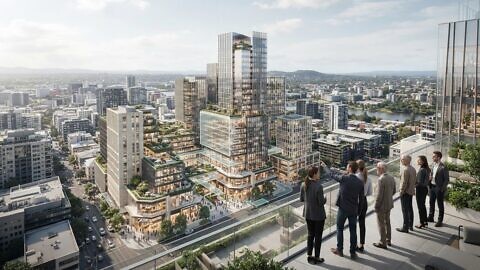
Scale needs to be clear, not merely impressive. A close-up can show a product’s materials and components, while a wider view communicates its footprint and relationship to surrounding assets. An aerial view, for example, can make a development’s layout easier to understand; a human-height perspective can convey the experience of an entrance or shared space. Pair each view with verified dimensions or project information when those details matter to the investment case.
Show commercial significance by connecting each image to a specific business point. If the presentation discusses how a product will be used, depict it in that setting. If it explains a property’s mix of uses, distinguish those functions visually. Give each frame one primary message, such as capacity, access, configuration or design intent. Labels and annotations can help, but should not obscure the feature investors need to assess.
Visual evidence can also clarify a company profile. Show an approved product range, facility, project or operating environment when it supports the business narrative. For a company active across countries, a map can identify its confirmed markets, while consistent imagery helps international audiences compare locations. Keep geographic labels and company claims aligned with approved corporate information. A render communicates a proposal, not proof of operational performance.
To begin production, provide the studio with the source material and decision context:
- CAD files, BIM information, technical drawings or measured dimensions for the product or site.
- Reference photography, material samples, approved colours and brand guidelines.
- The investor presentation’s key messages, intended audience and planned image placements.
- Verified information about the company profile, project context and any locations shown.
These inputs establish what the CGI needs to communicate and which details deserve emphasis. If a drawing shows a proposed product beside a person, for example, confirm the dimensions and intended viewpoint before modelling starts. Clear source files, a concise narrative and consolidated feedback reduce ambiguity during review. The result is a visual argument with defined scale, relevant context and a direct link to the commercial case, rather than an attractive image detached from the investment decision.
Investor CGI formats and resolutions
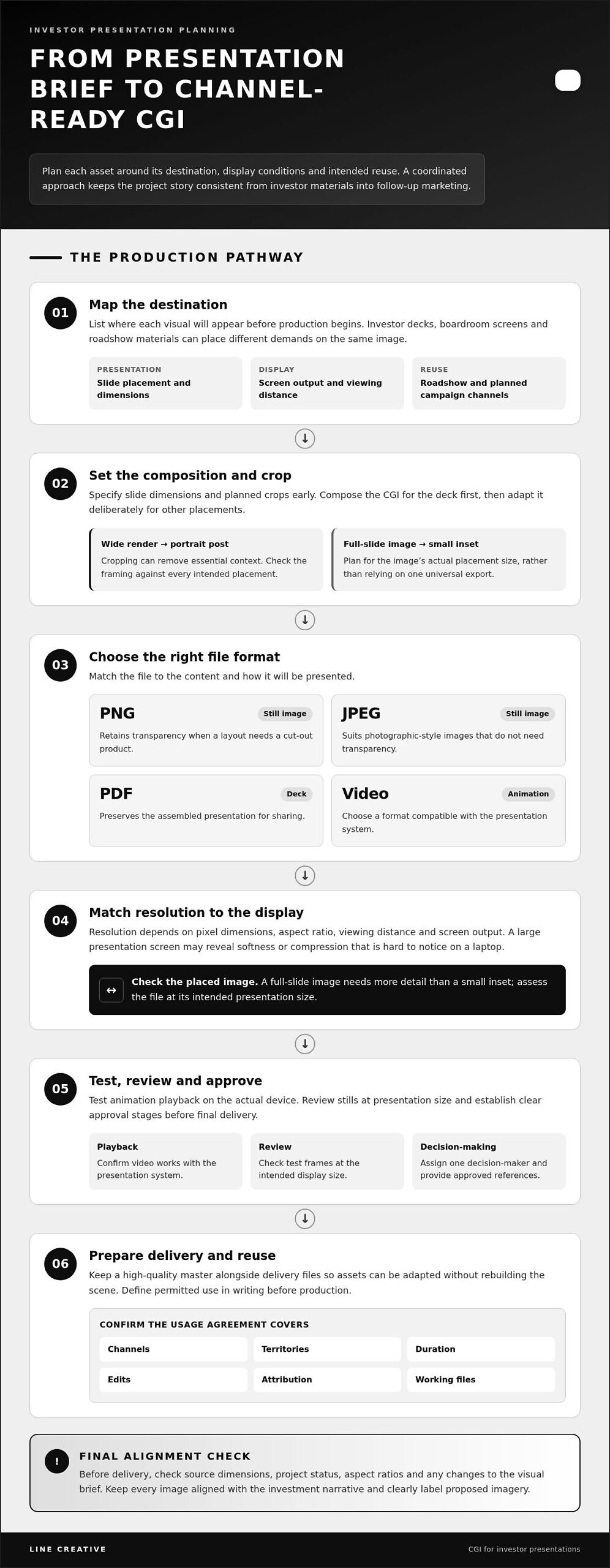
Investor decks, boardroom screens and roadshow materials place different demands on images. Choose each file format and resolution for its intended display, rather than relying on one universal export. A slide deck needs crisp images at their actual placement size; a large presentation screen may reveal softness or compression that is hard to notice on a laptop. Start by mapping each asset to its destination.
Still images commonly use PNG or JPEG files, while a PDF deck preserves the assembled presentation for sharing. PNG can retain transparency when a layout needs a cut-out product; JPEG suits photographic-style images that do not need transparency. When building out the surrounding slides, pre-formatted deck libraries such as SlideIno can provide structured infographic layouts that complement custom visual assets. For animation, choose a video format compatible with the presentation system and test playback on the actual device. Keep a high-quality master alongside delivery files so assets can be adapted without rebuilding the scene.
Resolution depends on pixel dimensions, aspect ratio, viewing distance and screen output. A full-slide image needs more detail than a small inset; cropping a wide render into a portrait social post can remove essential context. Specify slide dimensions and planned crops before final rendering. CGI for investor presentations should be composed for the deck first, then deliberately adapted for other placements.
How do you choose a CGI studio for an investor presentation? Review relevant property or product examples, assess consistency across images, and establish how feedback, approvals and file delivery will work. A clear brief and defined approval stages help you assess the production process as well as the finished visuals.
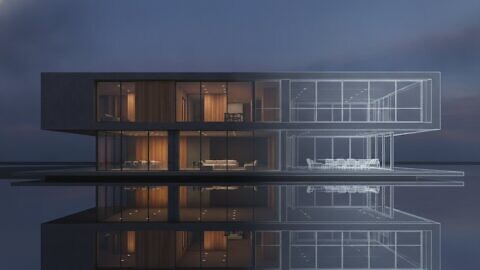
CGI, photography and traditional renderings serve different purposes in investor presentations. Photography records an existing subject, while CGI can depict a proposed design or controlled product configuration. Traditional architectural drawings explain plans and dimensions; CGI adds material, lighting and spatial context. Choose the method that supports the specific claim, and clearly label proposed imagery.
Usage rights depend on the written agreement for the commissioned work. Define permitted channels, territories, duration, edits, attribution and access to working files before production. If the deck may become a website or campaign asset, include those uses in the agreement.
The production scope depends on model complexity, scene detail, number of views, animation requirements, source-file readiness, revision stages and intended use. Define these requirements in the brief so the visuals align with your presentation plan.
Common commissioning risks include inaccurate source dimensions, unclear project status, mismatched aspect ratios and late changes to the visual brief. Assign one decision-maker, supply approved references and review test frames at presentation size. These steps help reduce avoidable revisions and keep the final files aligned with the investment narrative.
For property-focused stills, explore 3D rendering and CGI as a way to plan presentation-ready visuals around the required formats and outputs.
Presentation-ready and roadshow deliverables
A roadshow package should give your team a coordinated set of visuals, not just one hero image. For a property proposal, that might include an exterior view, an entrance perspective, an amenity space and a site overview. Each asset should support a distinct point in the presentation, from location and design intent to the proposed experience for occupants.
Plan deliverables around the investor journey. A short opening image can establish the project, while detailed views support later discussion. A closing frame can reinforce the proposal’s identity without introducing new claims. If the roadshow spans a live presentation and follow-up materials, define those placements before production starts.
- Core presentation stills: selected views composed for specific slides, such as a site overview and a close architectural perspective.
- Supporting detail images: focused visuals of materials, interiors, product features or access points referenced in the narrative.
- Motion assets: an animation or camera sequence when movement explains a layout, approach or spatial relationship more clearly.
- Adapted crops: alternate compositions for a presentation cover, a digital invitation or a follow-up email.
- Handoff files: clearly named final assets, with versions separated from review images and working drafts.
Consistency matters across a roadshow. Use the same material palette, lighting approach and project identifiers in the site view, interior image and animation. For example, a timber finish shown in a lobby should match the approved reference used in other project visuals. This continuity helps investors read the assets as one coherent proposal.
Prepare a simple asset schedule before rendering. List each visual alongside its slide or channel, intended message, aspect ratio and approval owner. A slide showing the whole development may need a wide composition; a mobile follow-up may need a tighter crop. Recording these requirements in one schedule helps prevent conflicting requests during production.
Separate approved final files from review versions. Use descriptive names such as “site-overview-final” and include a version date or status in the delivery log. This helps presenters in different offices select the correct image. Keep superseded drafts out of the roadshow folder to reduce the risk of presenting outdated design information.
Before presenting, test every asset in its intended setting. Open the deck on the presentation device, check image sharpness at full screen and play any animation from the intended slide. Confirm that captions, logos and annotations remain legible. A final review against the asset schedule can catch missing crops, incorrect project labels and outdated visuals before the investor meeting.
Production timelines for stills and films
A reliable production schedule starts with the investor meeting date and works backwards. First, list the required stills, film sequences, review points and final delivery formats. A single exterior render has different production requirements from a property film featuring several spaces, camera movements and transitions. The scope, not the label “CGI”, determines the work sequence.
Stills usually follow a defined sequence: brief, source-file review, scene build, draft composition, feedback, final rendering and image delivery. A clear floor plan and material references help establish the scene. If dimensions or design decisions change after composition approval, modelling and lighting may need revision. Consolidated feedback at each review stage makes changes visible and manageable.
Film adds motion design to the visual workflow. Agree the sequence, camera path and transitions before rendering the final frames. For example, a property film moving from an aerial approach into a lobby needs connected viewpoints and consistent lighting. Changes to the camera route can affect scene composition, animation and subsequent frames, so approving the sequence matters.
Several factors shape the schedule, and each should be addressed in the brief:
- Source material: organised CAD drawings, BIM files, models and material references support scene preparation.
- Visual scope: the number of spaces, viewpoints and design details affects modelling and review requirements.
- Animation complexity: camera movement, scene transitions and environmental motion add production steps beyond stills.
- Approval process: named decision-makers and consolidated comments help prevent conflicting revisions.
- Delivery requirements: agreed aspect ratios, file formats and presentation placements shape final output.
Set review gates around decisions, not vague progress labels. Approve the scene blockout before detailed materials, and approve camera framing before final film rendering. A product visualisation may need a material change, while a property film may require a revised route through the site. Recording each decision gives the production team a clear reference and helps show how revisions affect later stages.
Build contingency into the plan by resolving design inputs early and allowing time for technical checks. Test a draft still in the slide deck and a film on the presentation system. These checks can reveal cropping, playback or legibility issues before delivery. If the investor date is fixed, share it with the studio alongside the brief, asset list and approval route.
For a project with defined still or film requirements, discuss your CGI production brief with Line Creative and align the visual scope with your presentation schedule.
Line Creative: CGI Animation
Line Creative creates CGI animation and 3D rendering that help investors assess a proposed product or property through clear, purposeful visuals. Turn to the studio when your presentation needs to explain a design that does not yet exist, or when still images cannot communicate how spaces connect. Architectural visualisation can establish a development’s setting and spatial character; product visualisation can clarify form, materials and intended use.
For a roadshow, align the visual brief with the investor narrative, approved design information and required delivery formats. This gives each render or animated sequence a defined role, whether it introduces a proposal or explains a key feature. Visuals support communication; they do not replace financial analysis or project evidence.
Contact Line Creative to discuss CGI for your investor presentation.
Shape the next investor conversation
Before your next investor meeting, decide what the audience needs to understand and what action the presentation should support. This gives every visual a clear purpose and helps keep the project narrative aligned as designs develop.
Think beyond a single presentation. A visual direction that reflects your wider communications plan can help maintain a consistent identity as the proposal moves into future discussions. For CGI for investor presentations, treat visual choices as part of how you frame the opportunity, not merely as finishing touches.
Bring your project objectives and visual requirements together in a focused brief. Contact Line Creative about investor CGI to discuss the right approach for your presentation. A clear starting point can help you move forward with confidence.
Frequently Asked Questions
Can investor CGI later be repurposed for marketing?
Yes, investor visuals can support marketing when the agreed usage rights and intended applications allow it. For a product launch, adapt a presentation image into a campaign crop, then update the captions for a public audience. Keep project status, product details and claims accurate in every version. A central asset library with clear filenames helps your team find approved visuals and avoid circulating outdated material.
How quickly can you produce investor CGI for an imminent fundraise?
The schedule depends on visual scope, source material, the review process and the delivery date. For an imminent fundraise, prioritise images essential to the investment narrative, such as a defining project view or product visual. Provide approved drawings and references, and appoint one feedback lead at the outset. This gives production a clear brief and helps prevent late changes from disrupting the agreed sequence.
What format are investor CGI deliverables in?
Deliverables are prepared in formats agreed for their intended use, such as still-image files for slides or video files for playback. A PDF can preserve the assembled deck, while separate image files let your team update individual slides. Distinguish final presentation assets from editable source files in the handover. A naming convention that identifies the project, view and approval status reduces selection errors during a roadshow.
What does CGI mean for investor presentations?
CGI means computer-generated imagery: visuals created digitally from a model, design or concept. In CGI for investor presentations, it can communicate a proposed product or development before photography is possible. A digital model, for example, can show a planned building’s appearance or a product’s intended configuration. These images explain visual intent; they should not be presented as evidence of completed work or guaranteed performance.
What types of CGI and 3D visualisation are used in investor presentations?
Investor presentations can use still 3D renders, CGI animation, architectural visualisation and product visualisation. A still render can define a key design, whilst an animation can explain a sequence or demonstrate how a product is assembled. For a property proposal, architectural visuals can communicate a design concept; for a product company, a rendered view can focus attention on form and finish. Choose the type that supports the presentation’s specific decision.
How long does it take to create CGI visuals for an investor presentation?
Production time depends on the number and complexity of visuals, the quality of design information, the animation scope and how quickly feedback is consolidated. A defined still-image brief follows a different workflow from a film with several scenes and transitions. Identify the fundraise milestone, final approval date and required deliverables at the start. These details help establish a realistic production sequence without assuming every project follows the same timetable.