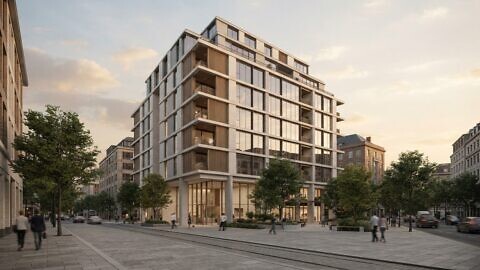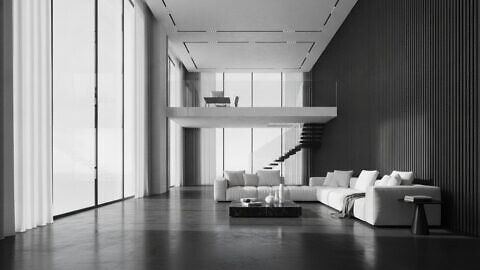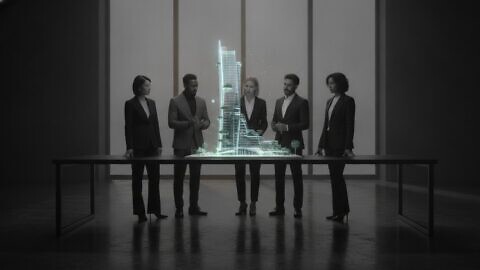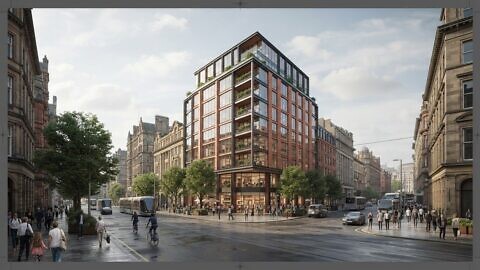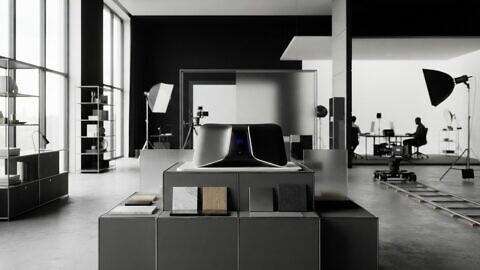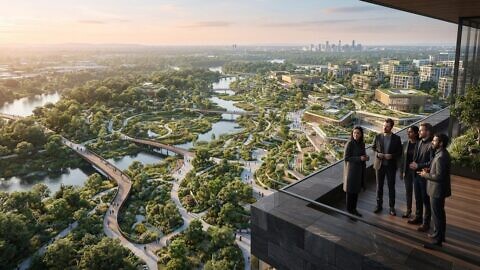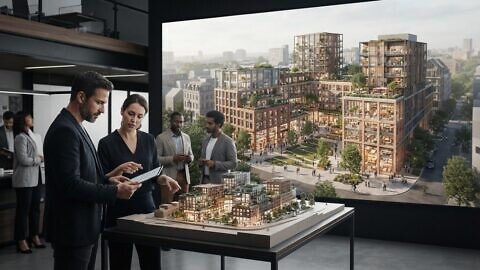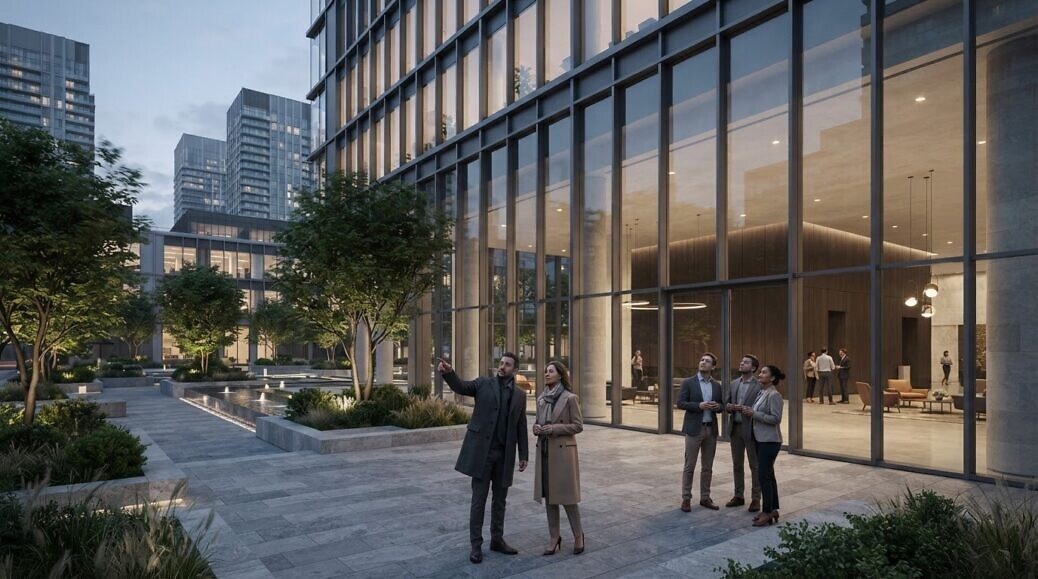
A development can be clear on paper and still be difficult to picture. Architectural animation for investment turns a proposed building into a moving CGI presentation, revealing its design, interiors, atmosphere and setting before construction. Unlike a still image, it guides viewers through a sequence of spaces and details, shaping how they understand the project.
Investors, buyers and stakeholders need more than attractive visuals: they need a coherent view of what is proposed and why it matters. A well-planned animation can bring together a building’s form, materials, light and surroundings, helping audiences assess the concept without presenting visualisation as a guarantee of future performance.
This article explains what architectural animation includes, how it communicates a project’s character and how it can support real estate marketing. You’ll also see how it serves different audiences, what production involves and how Line Creative’s architectural visualisation and CGI animation fit into the process.
Key Takeaways
- See how moving sequences communicate a development differently from a still architectural render.
- Understand how camera movement, lighting and materials help audiences picture a building’s design and atmosphere.
- Learn how to shape a visual presentation around the questions investors, buyers and stakeholders need answered.
- Explore how a production-ready 3D model can support a wider set of project visuals and marketing materials.
- Identify when CGI animation and architectural visualisation can strengthen the way you present a development.
What is 3D Architectural Animation?
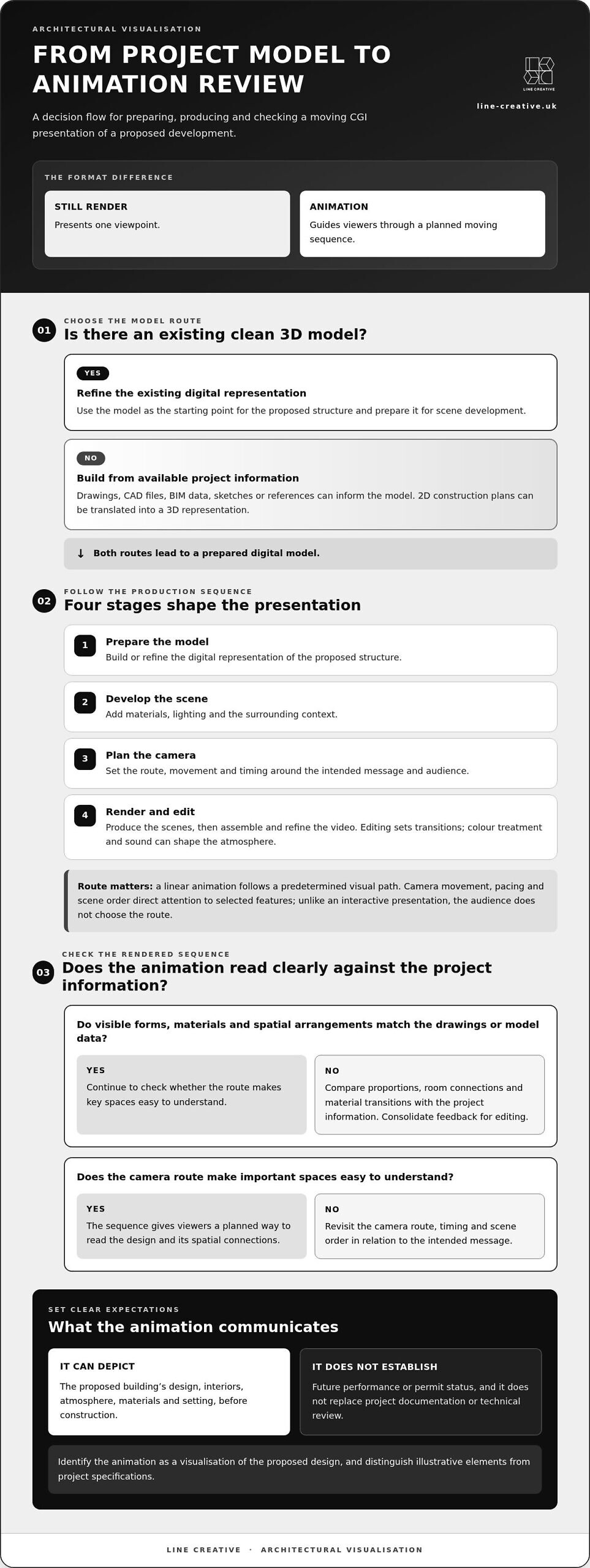
Architectural animation is a CGI video depicting a building, interior or development before construction. A static 3D rendering presents one viewpoint; animation guides viewers through a moving sequence. A still might show a lobby, while a camera route can reveal its entrance, circulation and connections to adjoining spaces.
Movement gives the audience a planned way to read the design. A sequence could begin with the wider site, approach the entrance, then pass through shared areas. The camera route, pacing and scene order direct attention to selected features. Unlike an interactive presentation, a linear animation follows a predetermined visual path.
Production translates project information into a rendered and edited sequence. Work can begin with architectural drawings, CAD files, BIM data, sketches, references or an existing 3D model. A typical workflow includes these stages:
- Prepare the model: Build or refine a digital representation of the proposed structure.
- Develop the scene: Add materials, lighting and surrounding context.
- Plan the camera: Set movement, route and timing around the intended message.
- Render and edit: Produce the scenes, then assemble and refine the video.
Post-production determines how scenes connect and how the sequence feels. Editing establishes transitions, while colour treatment and sound can shape the atmosphere. Check visible forms, materials and spatial arrangements against the project information used to create the model. This review supports architectural precision without implying that visual polish alone confirms design accuracy.
For US marketing, identify the animation as a visualisation of the proposed design and distinguish illustrative elements from project specifications. An animation communicates appearance; it does not establish a project’s permit status or replace information needed to assess the proposal.
Production scope and schedule depend on project complexity, animation length, modelling requirements, realism, revisions, rendering quality and delivery formats. An existing clean 3D model can affect the modelling work required. The scene count and camera route also shape the production stages and review process.
To commission an animation, define its audience and purpose, then gather available drawings, CAD files, BIM data or a 3D model. Agree the key scenes and camera route before production. Review the rendered sequence against the brief, then consolidate feedback for editing.
Investors can assess visual quality by checking the sequence against drawings and model data. Look for consistent proportions, coherent room connections and material transitions that match the design information. Consider whether the camera route makes important spaces easy to understand. Visualisation can support evaluation, but it does not replace reviewing project documentation.
Creating an architectural animation typically begins with a digital 3D model, which is textured, lit, staged in context, and animated. Production can also begin by translating 2D construction plans into a 3D model of the structure. The resulting CGI video sequence can present a building, interior, exterior, or property development before it is built.
A 3D walkthrough animation controls the route, timing, camera movement, and message, making it useful for guiding viewers through a specific story. OMEGARENDER describes architectural animation as having a predetermined script that limits interaction between the audience and the animation compared with walkthrough tours. A typical workflow prepares the digital building, adds materials and lighting, plans camera movement, renders scenes, and edits the final video.
How animation can communicate a project’s design and atmosphere
A moving presentation connects architectural decisions with the experience of occupying a proposed space. Camera direction, light, materials and context help viewers interpret the design before construction begins.
Communicating design concepts before construction
Animation places the proposed design in a sequence, helping architects and stakeholders see how spaces relate. A route from an entrance through a reception area to adjoining rooms can clarify circulation more effectively than isolated views. Check whether the sequence makes key transitions, sightlines and connections clear. This helps audiences discuss specific design choices before the building exists.
That review can be practical, not merely aesthetic. Architects can use an animated view to assess how a layout reads from a person’s perspective, then identify questions about spatial relationships. For example, a sequence through an interior may reveal that a corridor feels disconnected from a shared area. The visualisation supports discussion of possible adjustments before construction.
Animation also provides a consistent reference for design reviews and client presentations. Stakeholders can respond to the same camera route and visible details, rather than interpreting separate drawings independently. This makes feedback more specific: viewers can identify a transition, façade element or room connection that needs attention. It supports design communication but does not replace technical review of drawings.
Conveying design and atmosphere
Atmosphere emerges from how lighting, materials and setting work together on screen. A walkthrough can show daylight moving across an interior, helping viewers understand how a space may feel at different moments. Material finishes are also easier to compare when the camera reveals how they relate across floors, walls and furniture.
Surroundings matter, too. An exterior sequence can place a building in its landscape, while a shift from the wider site to a close façade view explains its scale and character. Interior scenes can then take viewers from public spaces into quieter areas, showing how the development’s atmosphere changes across its layout.
For a useful presentation, connect every visual choice to a design intention. If a shared lounge is meant to feel open, show its sightlines and connection to adjacent spaces. If a façade relies on contrasting materials, use camera movement to make their junction clear. Review these details against the project design, rather than treating cinematic polish as proof of architectural accuracy.
When planning a sequence, prioritise scenes that answer a real audience question: how rooms connect, how daylight enters or how the building sits within its setting. Reviewing architectural visualisation examples can help you consider how framing and movement communicate those design priorities.
Architectural animation can help identify design changes before construction, avoiding costly alterations during construction. Designers can use architectural animation to experiment with interior layouts, furniture arrangements, and color schemes before execution. A 3D walkthrough animation can show how rooms connect, how daylight changes across a space, and how materials work together.
Architectural animation can support architects with competitions, design reviews, client presentations and public communication. It can also help investors understand a development’s value and evaluate off-plan property before construction.
Presenting projects to investors, buyers, and stakeholders
Presentation design should make the project’s investment proposition clear without asking visuals to stand in for evidence. Plan the sequence around the audience’s decisions, then use supporting material to address questions animation cannot answer.
Investor presentation use
In an investor meeting, use the animation to establish a shared understanding of the proposal before discussing its assumptions. Pair the sequence with a concise briefing that identifies which project details the visuals represent and which need separate analysis. For example, a map or annotated slide can orient viewers before the film begins, while the discussion afterwards can address points needing closer examination.
This approach keeps the animation in its proper role: it explains the visual proposition, while project documents carry technical and commercial detail. For architectural animation for investment presentations, plan where the film fits in the agenda and what evidence should follow it.
Attracting real estate investors
Animation can support investor engagement by making a proposal easier to discuss before construction. It gives stakeholders a shared visual reference, helping focus questions on the intended project rather than competing interpretations of drawings. Make clear what the visualisation represents, so viewers can distinguish design communication from investment analysis.
Needs vary by asset type. Residential proposals may need to communicate the mix of dwelling types and privacy between homes; commercial schemes may need to clarify tenant flexibility and servicing; mixed-use projects may need to explain phasing and shared infrastructure. These priorities shape the scene brief and the supporting information investors need.
Investment-focused animation content
Start with a decision-focused brief. Identify the proposal’s central investment narrative, the questions viewers are likely to raise and the project information that supports each visual claim. Then select scenes that make those points clear. Architectural animation for investment should communicate the proposed asset clearly, while financial assumptions, delivery plans and technical evidence remain in their relevant documents.
A scene schedule can link each shot to a presentation purpose. One scene might orient viewers to the site; another could clarify how a particular element fits the wider proposal. Review the schedule alongside presentation materials to avoid conflicting descriptions or unexplained visual details.
Presentation format affects how the discussion unfolds. A linear film suits a controlled briefing, while an interactive presentation lets stakeholders direct attention to areas they want to examine. A guided virtual presentation gives the presenter more control over that exploration. Choose a format based on the meeting setting, audience familiarity and need for spontaneous discussion.
Before presenting, prepare for questions the animation cannot resolve. Keep drawings, project descriptions and relevant commercial analysis available alongside the visual sequence. This lets you answer questions about depicted features with appropriate evidence, rather than asking viewers to infer technical or financial conclusions from imagery alone.
Architectural animation as a real estate marketing asset
A real estate animation can support more than one campaign when its content is planned for reuse. Developers can adapt a sequence for investor presentations, buyer communications, digital campaigns and public project updates. The value lies in matching each version to its audience and purpose, rather than distributing one untailored film across every channel.
For example, an investor edit might establish the site context and development concept, while a buyer version gives more attention to shared spaces and everyday use. Both can draw on consistent visual direction, keeping the project recognisable across marketing materials. Architectural animation for investment can therefore form part of a broader communication plan, alongside sales content and project information.
Distribution shapes the format. A longer sequence can support a guided presentation, while shorter edits may suit digital campaigns. A version shared with colleagues or project teams can provide a common visual reference across locations. Each adaptation should retain the same design intent and avoid implying features the development does not include.
There is no universal ROI figure for architectural animation. Its commercial contribution depends on the campaign objective, audience response and how enquiries or sales are attributed across marketing activity. Set a measurable aim before release, such as supporting investor discussions or informing buyer interest, then assess the animation against that aim rather than crediting it with outcomes it cannot establish alone.
Plan potential reuse before production. Identify audiences, key messages and distribution channels, then decide which scenes can serve more than one purpose. An exterior context scene may support investor communications, while a sequence focused on resident facilities may suit buyer engagement. Architectural animation for investment works best when its intended role is defined alongside wider marketing uses.
Accuracy protects credibility. If a sequence depicts landscaping, materials, views or shared facilities that differ from the proposed development, audiences may form expectations the project does not meet. Keep visual details aligned with project information, and make illustrative treatments clear in accompanying materials. This matters especially when campaign content reaches viewers without a presenter to explain the design.
Before release, review each scene against the project and campaign purpose. Check that the building, surroundings and represented uses remain consistent, and that camera movement does not obscure relevant context. For instance, an exterior view should not imply a connection to nearby amenities that the development does not have. Visual polish can attract attention, but accuracy sustains trust.
To shape an animation around your project’s marketing objectives, discuss your project animation with Line Creative.
Line Creative: CGI Animation
Line Creative creates CGI animation for property teams that need to communicate a proposed development to investors, buyers or stakeholders. Its architectural visualisation can translate project information into a clear moving presentation, while 3D rendering can provide complementary still imagery for presentations and marketing materials.
Turn to this work when plans alone don’t make the design, spatial sequence or atmosphere easy to understand. A focused brief can identify the intended audience, key scenes and project details the animation needs to represent. This gives the visualisation a defined communication role without treating it as a substitute for financial analysis or technical documentation.
To discuss CGI animation or architectural visualisation for your project, contact Line Creative.
Shape the next decision with a clear visual direction
Before commissioning an animation, decide what the next audience needs to understand and what action the presentation should support. That focus can guide the scene sequence, level of detail and choice between a linear film and other visual formats. It also gives your team a practical basis for reviewing the work, keeping feedback tied to the project’s purpose rather than personal preference.
Architectural animation for investment works best as part of a considered communication plan, not as a substitute for design records or commercial analysis. First define the intended audience, key message and distribution context. Then align the visual approach with the project information and the decisions viewers need to make.
Line Creative brings CGI Animation, 3D Rendering and Architectural visualisation to projects that need a considered visual presentation. If you’re ready to define the right approach for your development, contact Line Creative about your project.
Give your project a clear visual direction and take the next conversation forward with confidence.
Frequently Asked Questions
How does architectural animation compare with still renderings, virtual tours, and interactive 3D presentations?
The key difference is how viewers control the information and how consistently each format presents it. A still rendering gives you a fixed image for a brochure or presentation slide. Animation delivers a directed sequence, so audiences receive the same visual narrative. Virtual tours and interactive 3D presentations give viewers more control over where they look. Choose according to whether your priority is a concise, consistent presentation or individual exploration.